
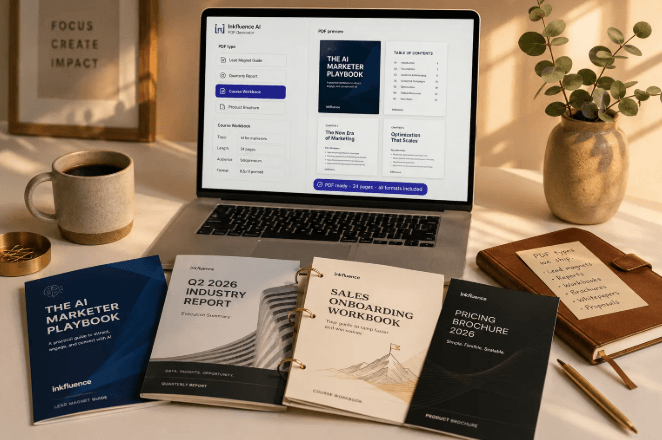
PDF documents are widely used in education, business, marketing, administration, and professional communication. From reports and proposals to resumes, presentations, and instructional guides, PDFs provide a convenient way to share information while maintaining a consistent document layout.
However, creating a professional PDF can take considerable time. Users often need to write the content, organize sections, adjust formatting, add headings, review the layout, and export the finished document. For people who regularly prepare documents, these tasks can become repetitive.
An AI PDF generator can help simplify this process by using artificial intelligence to assist with drafting, organizing, and preparing document content. Instead of starting with a blank page, users can provide a prompt or source material and use AI assistance to develop a structured document.
Understanding how these tools work can help individuals and organizations decide when AI-assisted PDF creation is useful and what they should check before sharing the final file.
What Is an AI PDF Generator?
An AI PDF generator is a tool or workflow that uses artificial intelligence to assist with creating PDF documents.
Depending on the service, users may be able to describe the document they need, provide existing information, or request a particular structure. The system can then help prepare written content and organize it into a document suitable for formatting and export.
For example, a small business owner might need a service proposal. Rather than writing every section manually, the owner could provide the business details, project requirements, pricing information, and intended audience. An AI tool could help create an initial draft with headings and organized sections.
The user would then review the content, correct details, and prepare the final PDF.
Why Are AI PDF Generators Becoming Useful?
Document creation is often a combination of writing and formatting. AI can help reduce some of the effort involved in both activities.
Faster First Drafts
Starting a document can be difficult, especially when the user is unsure how to organize the information. AI can generate an initial structure and draft based on a clear prompt.
Better Content Organization
A document becomes easier to read when information is divided into logical sections. AI can suggest headings, summaries, bullet points, and section sequences.
Support for Different Document Types
People create many types of PDFs, including business reports, proposals, resumes, guides, educational notes, and project summaries. AI-assisted workflows can help adapt the structure according to the document’s purpose.
Easier Editing and Refinement
Users can request changes to tone, length, clarity, or organization. This can make the revision process more efficient, although human review remains important.
Common Uses of AI PDF Creation Tools
An AI document workflow can support a variety of everyday tasks.
1. Business Proposals
Businesses can use AI assistance to draft project introductions, service descriptions, deliverables, timelines, and proposal sections. Pricing and contractual details should always be checked by the responsible person.
2. Professional Reports
AI can help organize findings, summarize supplied information, and create sections for conclusions and recommendations. Any figures, claims, and source references must be verified.
3. Resumes and Cover Letters
Job seekers can use AI to organize professional experience, improve wording, and prepare a resume layout. Users should ensure that all qualifications and achievements are accurate.
4. Educational Documents
Students and teachers can use AI to structure study guides, lesson notes, reading summaries, and instructional materials. Academic sources and factual information should be checked before distribution.
5. Marketing Documents
Marketing teams can prepare brochures, service descriptions, campaign summaries, and informational guides with AI assistance.
6. Internal Business Documentation
Organizations may use AI to draft standard operating procedures, meeting summaries, project updates, and internal reference documents. Confidential information should only be entered into services approved for that data.
How to Create a PDF With AI
Although the process varies between platforms, most AI-assisted document workflows follow a similar sequence.
Step 1: Define the Purpose
Begin by identifying what you want to create. A business proposal requires a different structure from a resume or an educational guide.
Be specific about the intended audience and the information the document must include.
Step 2: Prepare the Source Information
Collect the facts, notes, figures, and reference material that should appear in the document. Providing accurate source information can improve the quality of the initial draft.
Step 3: Write a Clear Prompt
Explain the type of document, preferred tone, approximate length, and required sections.
For example:
“Create a professional project proposal with an introduction, project objectives, scope of work, timeline, pricing section, and conclusion. Use clear business language and organize the information with descriptive headings.”
Step 4: Review the Generated Content
Read the draft carefully. Check names, dates, figures, claims, spelling, grammar, and any references.
AI-generated text can contain mistakes or assumptions that were not present in the original information.
Step 5: Format the Document
Choose a readable font, consistent headings, appropriate spacing, and clear section divisions. Check tables, images, page breaks, and margins.
Step 6: Export and Inspect the PDF
After preparing the document, export it as a PDF if the platform supports that option. Open the exported file and inspect every page to ensure that nothing is missing, incorrectly positioned, or difficult to read.
Exploring Jenova’s AI PDF Generator
People interested in AI-assisted document creation can explore <a href=”https://www.jenova.ai/en”>Jenova AI</a>, a platform that introduces specialized agents for creative work, learning, entertainment, and everyday tasks.
Its document-focused experience is called the PDF Doc Generator. The related <a href=”https://www.jenova.ai/en/resources/ai-pdf-generator-202605″>AI PDF generator resource</a> introduces the concept of using AI to help prepare documents from prompts or supplied content.
This type of workflow can be relevant to users who want assistance with drafting, organizing, and preparing professional documents.
For example, a freelancer might need a project proposal, while a student may want to organize study notes into a structured document. A business team might need a report with an introduction, findings, and recommendations.
A specialized PDF creation experience can provide a starting point for these tasks. Users should still inspect the final document and confirm that its content and formatting meet their requirements.
Writing Better Prompts for AI PDF Generation
The quality of an AI-generated document depends partly on the instructions provided.
A vague prompt such as “Make a PDF about marketing” does not explain the intended audience, purpose, or required information.
A stronger prompt provides context.
Consider including these details:
- Document type: Report, proposal, resume, guide, or brochure.
- Purpose: Explain why the document is being created.
- Audience: Identify who will read it.
- Structure: List the sections that should be included.
- Tone: Specify whether the writing should be formal, educational, technical, or conversational.
- Source material: Provide the information that must be included.
- Formatting preferences: Mention tables, headings, summaries, or other layout requirements.
Clear instructions make it easier to review the generated output against the original requirements.
See also: Why Hongkong Company Registration Is a Smart Choice for International Investors
Important Things to Check Before Sharing an AI-Generated PDF
A professional-looking PDF is not automatically accurate. Before distributing a document, review several important areas.
Factual Accuracy
Verify all names, dates, statistics, prices, product descriptions, and technical statements.
Formatting and Readability
Check that headings are consistent, paragraphs are readable, and tables or images are correctly positioned.
Privacy and Confidentiality
Avoid uploading sensitive business or personal information unless the platform’s data practices and your organization’s policies allow it.
Copyright and Originality
Review any third-party material, images, and quotations included in the document. Make sure you have the necessary rights to use them.
Accessibility
Where possible, use clear headings, readable text, descriptive links, and appropriate document structure to make the PDF easier to navigate.
AI PDF Generator vs. Traditional Document Creation
Traditional document creation gives users direct control over every writing and formatting decision. It can be ideal for complex layouts, specialized design requirements, or documents that require strict manual control.
AI-assisted creation can reduce the time needed to develop an initial draft and organize information. It may be especially helpful when users produce similar document types regularly.
These approaches do not have to compete. Many users can combine them by using AI for drafting and organization, then completing the final editing and formatting manually.
Conclusion
An AI PDF generator can make document preparation more convenient by assisting with writing, structuring, and organizing information. It can be useful for business proposals, reports, resumes, educational materials, and many other document types.
Jenova’s PDF Doc Generator is an option worth exploring for users interested in AI-assisted document workflows. Its document-focused experience provides a starting point for turning prompts or source information into organized content.
The most important step is reviewing the final output. Check facts, formatting, privacy, and document quality before sharing it. When AI assistance is combined with careful human review, PDF creation can become a more organized and efficient process.
Frequently Asked Questions
1. What is an AI PDF generator?
It is a tool or workflow that uses AI to assist with drafting, organizing, and preparing content for PDF documents.
2. Can AI create a professional business proposal?
AI can help draft and organize a proposal, but users should verify pricing, contractual details, project requirements, and other important information.
3. Can I create a resume using AI?
Yes. AI can help organize work experience, improve descriptions, and structure resume content. All qualifications and achievements must remain accurate.
4. What is Jenova’s PDF Doc Generator?
It is Jenova’s document-focused AI experience, introduced for helping users prepare and organize PDF content.
5. Do AI-generated PDFs need editing?
Yes. Review the text, facts, formatting, page layout, and references before distributing the document.
6. How can I get better results from an AI PDF generator?
Provide a clear prompt that explains the document type, audience, purpose, required sections, tone, and source information.
7. Is AI PDF generation suitable for businesses?
It can assist with proposals, reports, internal documents, and other business materials. Confidentiality and accuracy should be reviewed carefully.
8. Can AI replace traditional document editors?
Not completely. AI can help with drafting and organization, while traditional editors remain useful for detailed formatting and manual design control.
